
Technology
Camera
Sequential Shutter function
Introduction
Sequential Shutter is a function that captures images under multiple shooting conditions.
You can switch settings such as exposure time, gain, and image offset in a pre-set sequence for every image.
Camera Function Usage
The three examples below use the following camera function registers:
- SequentialShutterControl
- Scalable (ROI)
- Gain
- ExposureControl
- UserSetControl
* Please refer to the camera instruction manual for details on each function.
[Example 1] Capture images with different ROI positions, gain, and exposure time
Here is an example of four images captured by Sequential shutter function, changing the window position, gain, and exposure time for each image repeatedly.

In example 1, the settings for each frame are as follows:
| Frame Number | Gain | Exposure Time (ExposureControl) |
ROI Position (Scalable) |
|---|---|---|---|
| Frame 1 | 0dB | 2ms | (Lower left) |
| Frame 2 | +6dB | 2ms | (Top center) |
| Frame 3 | 0dB | 1ms | (Right center) |
| Frame 4 | +3dB | 2ms | (Top left) |
Table 1: Register Setting Example
* ROI read position is specified in Width, Height, OffsetX, and OffsetY registers of the Scalable function.
The register settings can be saved in the camera's memory banks. The memory banks use the "UserSetControl" function.
In example 1, the settings are saved as follows:
- Setting data for frame 1 = Memory Bank 1
- Setting data for frame 2 = Memory Bank 9
- Setting data for frame 3 = Memory Bank 5
- Setting data for frame 4 = Memory Bank 15

After setting up, the image will be automatically output according to the set conditions by inputting a trigger.

[Example 2] Image capture with different gain and exposure time
Here is an example to capture continuous images while changing capture brightness by Sequential shutter function.
When capturing the three images, gain and exposure time are changed for each frame.

In example 2, the settings for each frame are as follows:
| Frame Number | Gain | Exposure Time (ExposureControl) |
|---|---|---|
| Frame 1 | +0.5dB | 0.7ms |
| Frame 2 | +3dB | 0.7ms |
| Frame 3 | +8dB | 0.3ms |
Table 2: Register Setting Example
In example 2, the settings are saved as follows:
- Setting data for frame 1 = Memory Bank 1
- Setting data for frame 2 = Memory Bank 2
- Setting data for frame 3 = Memory Bank 3
After setting the trigger, input the trigger three times and check the output image signal for three frames.
The image with the optimum brightness was the second frame.

[Application Example] Combination of Sequential shutter and Bulk trigger
There is "bulk trigger" mode that is compatible with Sequential shutter.
Bulk trigger is one of the trigger functions, and a single external trigger signal input causes multiple exposures and image output in succession.

Here is an example of taking two frames of images with different exposure times.

In application example, the settings are saved as follows:
| Frame Number | Exposure Time (ExposureControl) |
|---|---|
| Frame 1 | 20ms |
| Frame 2 | 2ms |
Table 3: Register Setting Example
In application example, the settings are saved as follows:
- Setting data for frame 1 = Memory Bank 1
- Setting data for frame 2 = Memory Bank 2
- Setting data for frame 3 = Memory Bank 3
After setting up, simply inputting the trigger once will output two frames of video captured continuously.
The first frame is shot with a long exposure time, so the subject is captured brightly.
The second frame is shot with a short exposure time, allowing areas that are prone to whiteout to be captured clearly.
This shooting method is effective for inspecting components on circuit boards and for capturing chipped silk screen text.


Applicable products
-
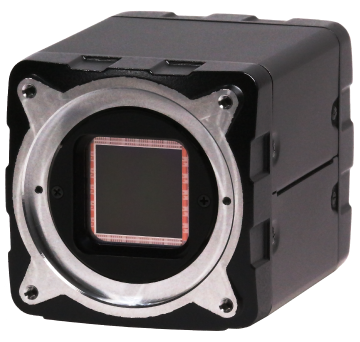
CoaXPress 2.0 Camera
-
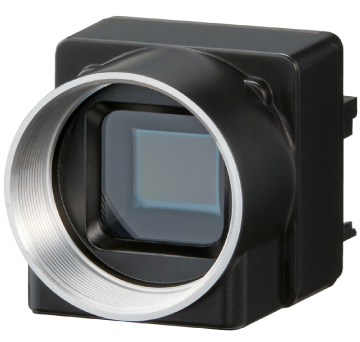
USB3 Camera
-
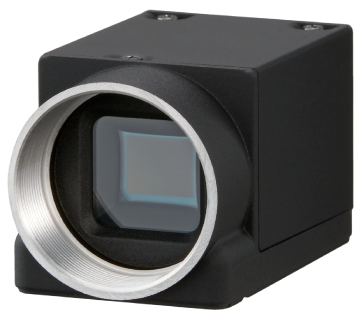
GigE Camera
-
Camera Link Camera